Bambu Lab vs Creality 2026: Which 3D Printer Brand Is Actually Better?
* Disclosure: This post contains affiliate links. We may earn a commission at no extra cost to you.
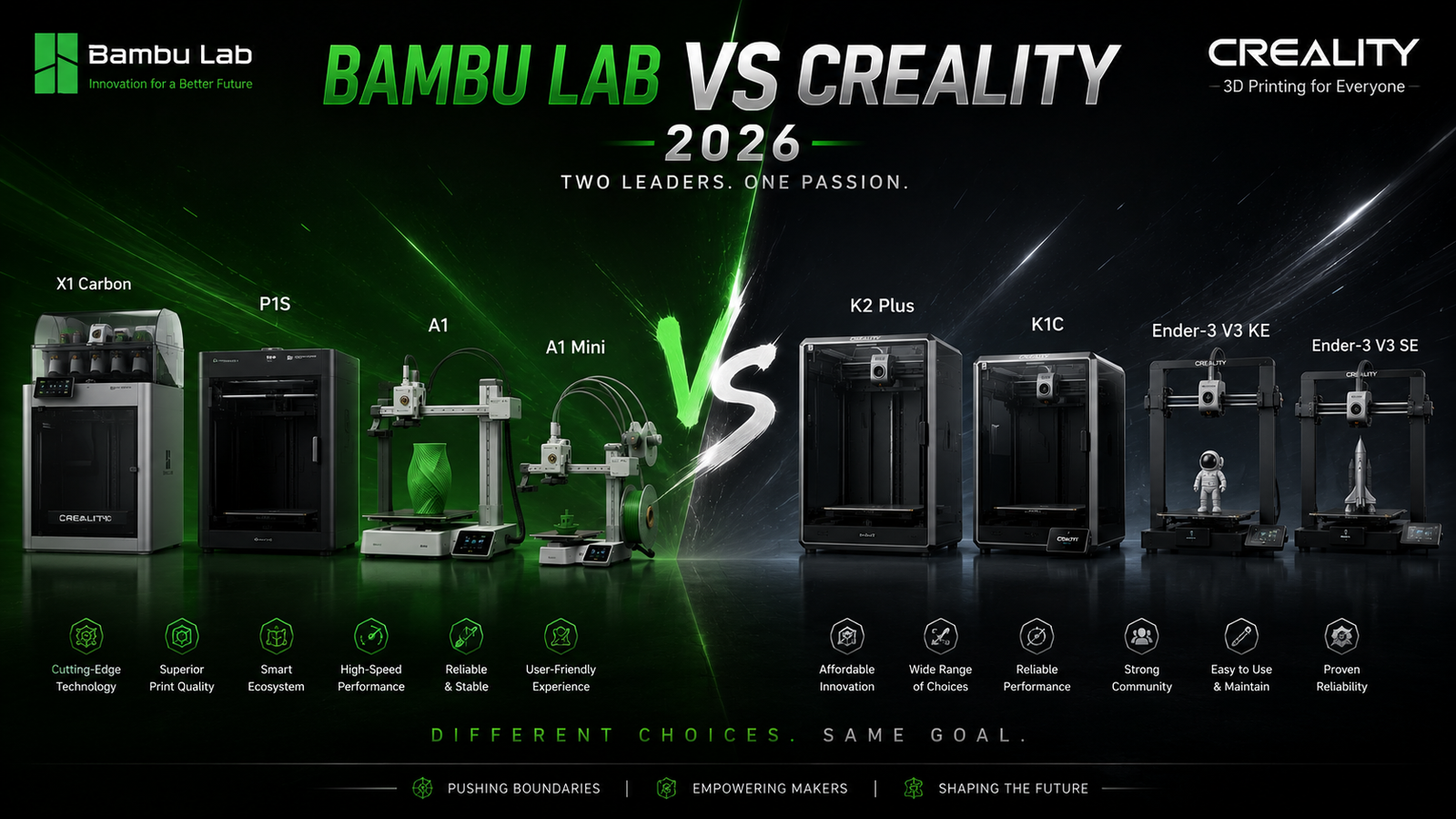
The Bambu Lab vs Creality debate is the most common question we get at Cubic School.
And the honest answer is: they're not competing for the same buyer.
Bambu Lab = results-first, closed ecosystem, premium price.
Creality = tinkerer-first, open platform, more budget flexibility.
Neither is wrong. But buying the wrong one for your use case is a $300–$1,000 mistake.
And the honest answer is: they're not competing for the same buyer.
Bambu Lab = results-first, closed ecosystem, premium price.
Creality = tinkerer-first, open platform, more budget flexibility.
Neither is wrong. But buying the wrong one for your use case is a $300–$1,000 mistake.
The Core Philosophy Difference
- Bambu Lab: "It just works" — Apple-style closed ecosystem. Everything proprietary. Bambu Studio, AMS, cloud slicing. Optimised for speed and convenience.
- Creality: "Build what you want" — Open platform. Compatible with OrcaSlicer, Klipper, third-party upgrades. Optimised for control and customisation.
- Who wins: Neither. This is a lifestyle choice, not a spec race.
- Creality: "Build what you want" — Open platform. Compatible with OrcaSlicer, Klipper, third-party upgrades. Optimised for control and customisation.
- Who wins: Neither. This is a lifestyle choice, not a spec race.
The clearest way we explain this at Cubic School: Bambu Lab is the machine you buy when you want to print. Creality is the machine you buy when you want to understand printing.
Speed Comparison — Bambu Lab vs Creality
- Bambu Lab A1 Mini / P1S: "500mm/s rated, ~300mm/s practical for quality prints.
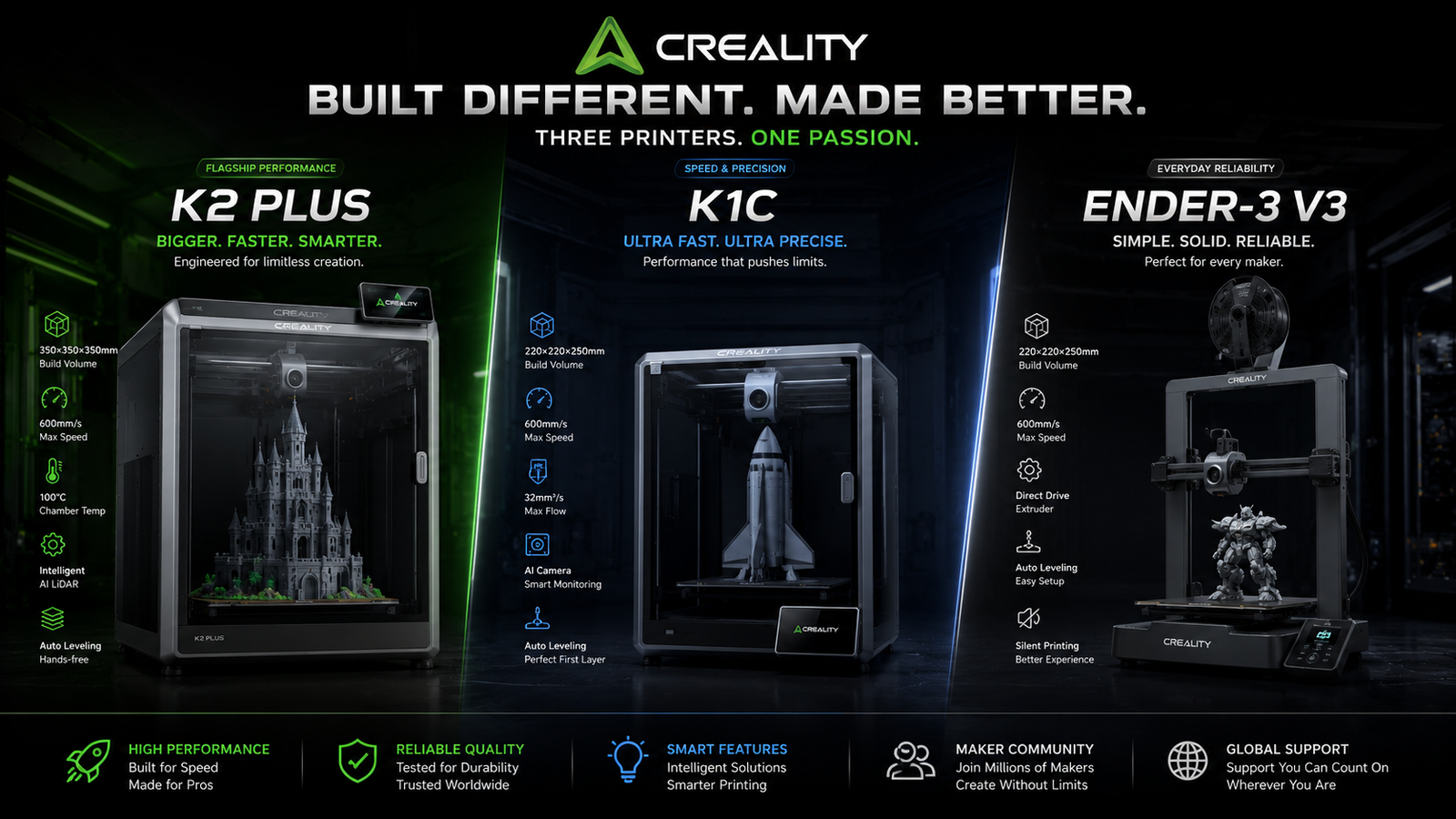
- Creality K1C: "600mm/s rated, improved input shaping in 2026 Hi series.
- Verdict: Both are fast. Creality's 2026 Hi series has closed the speed gap significantly. Speed is no longer Bambu's exclusive advantage.
- Creality K1C: "600mm/s rated, improved input shaping in 2026 Hi series.
- Verdict: Both are fast. Creality's 2026 Hi series has closed the speed gap significantly. Speed is no longer Bambu's exclusive advantage.
Comparison Table:
| Feature | Bambu Lab P1S | Creality K1C |
|---|---|---|
| Max Speed | 500mm/s | 600mm/s |
| Practical Speed | ~300mm/s | ~350mm/s |
| Auto-Calibration | ✓ Full | ✓ Full |
| Enclosure | ✓ Yes | X No |
| Multi-Material | AMS (up to 4) | CFS Lite (up to 4) |
| Slicer | Bambu Studio only | OrcaSlicer + more |
| Price | ~$699 | ~$399 |
| Feature |
|---|
| Max Speed |
| Practical Speed |
| Auto-Calibration |
| Enclosure |
| Multi-Material |
| Slicer |
| Price |
| Bambu Lab P1S |
|---|
| 500mm/s |
| ~300mm/s |
| ✓ Full |
| ✓ Yes |
| AMS (up to 4) |
| Bambu Studio only |
| ~$699 |
| Creality K1C |
|---|
| 600mm/s |
| ~350mm/s |
| ✓ Full |
| X No |
| CFS Lite (up to 4) |
| OrcaSlicer + more |
| ~$399 |
Software & Ecosystem
- Bambu Studio: Polished, fast, beginner-friendly. Locked to Bambu ecosystem.
- OrcaSlicer / Creality Print: More control, more settings, steeper learning curve.
- Bambu Handy app: remote monitoring, print from phone.
- Creality Cloud: equivalent but less refined.
- OrcaSlicer / Creality Print: More control, more settings, steeper learning curve.
- Bambu Handy app: remote monitoring, print from phone.
- Creality Cloud: equivalent but less refined.
Bambu Studio is still the smoother experience for new users — there's a meaningful learning curve difference in the first week that matters if you just want to print and not configure.
Price Comparison — What Do You Get at Each Budget?
| Budget | Bambu Lab pick | Creality pick | Verdict |
|---|---|---|---|
| Under $300 | A1 Mini ($299) | Ender-3 V3 KE ($219) | Creality wins on value |
| $300-$500 | A1 ($449) | K1C ($399) | Very close — Bambu for simplicity |
| $500-$800 | P1S ($699) | K2 Plus ($699) | K2 Plus for large volume; P1S for enclosed quality |
| $800+ | P1S Combo ($949) | K2 Plus Combo ($999) | Bambu wins on multi-material reliability |
| Budget |
|---|
| Under $300 |
| $300-$500 |
| $500-$800 |
| $800+ |
| Bambu Lab pick |
|---|
| A1 Mini ($299) |
| A1 ($449) |
| P1S ($699) |
| P1S Combo ($949) |
| Creality pick |
|---|
| Ender-3 V3 KE ($219) |
| K1C ($399) |
| K2 Plus ($699) |
| K2 Plus Combo ($999) |
| Verdict |
|---|
| Creality wins on value |
| Very close — Bambu for simplicity |
| K2 Plus for large volume |
| Bambu wins on multi-material reliability |
Who Should Buy Bambu Lab?
- You want to press print and walk away
- You're new to 3D printing
- You need reliable multi-colour prints (AMS is proven)
- You're printing in a shared space (lower noise, better fume filtration)
- You don't want to troubleshoot
- You're new to 3D printing
- You need reliable multi-colour prints (AMS is proven)
- You're printing in a shared space (lower noise, better fume filtration)
- You don't want to troubleshoot
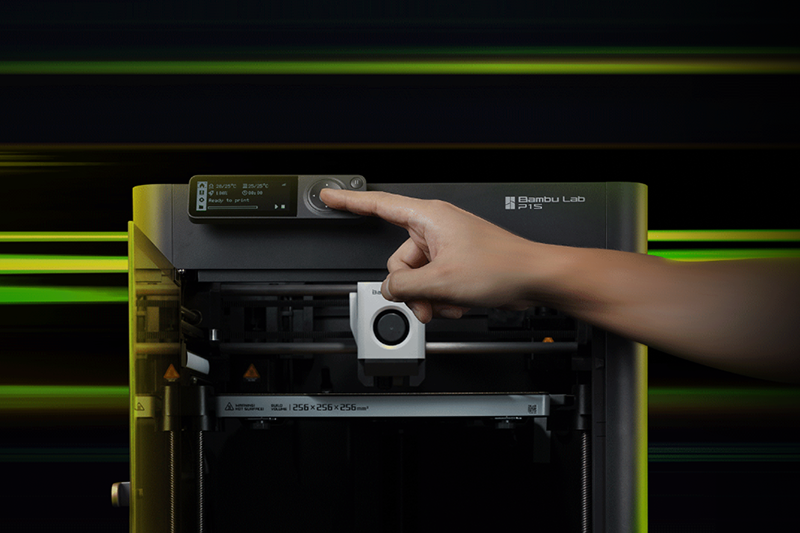
The Bambu Lab A1 Mini is the machine we recommend to the majority of first-time buyers who ask us where to start — and it's earned that position through consistent results, not just marketing.
Who Should Buy Creality?
- You enjoy learning how 3D printers work
- You want a large build volume (K2 Plus: 350×350×350mm)
- You print engineering materials regularly (K1C hardened nozzle)
- You want open-source software flexibility
- You're on a strict budget
- You want a large build volume (K2 Plus: 350×350×350mm)
- You print engineering materials regularly (K1C hardened nozzle)
- You want open-source software flexibility
- You're on a strict budget
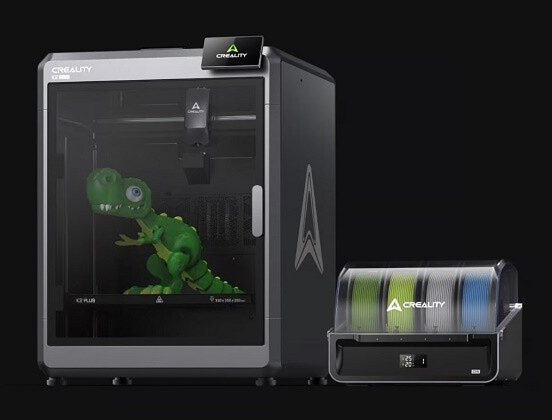
The Creality K2 Plus paid off immediately on a large-format project — 350mm build volume meant printing a full helmet visor in one piece. That's a job Bambu Lab's current lineup can't match on volume alone.
Verdict — The Honest Answer
- Best for beginners: Bambu Lab A1 Mini
- Best value: Creality Ender-3 V3 KE
- Best enclosed printer under $700: Bambu Lab P1S
- Best large-format: Creality K2 Plus
- Best for engineering materials: Creality K1C
- Best multi-material: Bambu Lab P1S + AMS
"The brand war is a distraction. The machine that fits your use case is the right machine."
- Best value: Creality Ender-3 V3 KE
- Best enclosed printer under $700: Bambu Lab P1S
- Best large-format: Creality K2 Plus
- Best for engineering materials: Creality K1C
- Best multi-material: Bambu Lab P1S + AMS
"The brand war is a distraction. The machine that fits your use case is the right machine."
FAQ
Q: Is Bambu Lab better than Creality in 2026?
A: Bambu Lab is better for beginners and anyone who wants a plug-and-play experience. Creality is better for tinkerers, large-format printing, and budget buyers. Neither is objectively superior — it depends on your use case.
Q: Which is cheaper — Bambu Lab or Creality?
A: Creality has more affordable entry-level options, starting at $219 for the Ender-3 V3 KE. Bambu Lab's cheapest printer is the A1 Mini at $299.
Q: Can Creality match Bambu Lab's print speed in 2026?
A: Yes — Creality's K1C and 2026 Hi series match and in some cases exceed Bambu Lab's rated speeds. Speed is no longer a Bambu-exclusive advantage.
Q: Does Bambu Lab work with OrcaSlicer?
A: Yes, but with limitations — OrcaSlicer supports Bambu Lab printers, but some AMS multi-material features require Bambu Studio.
Ali KH — Founder, Cubic School
I started Cubic School because I couldn't find a single review site that took all three of my obsessions seriously: 3D printing, speedcubing, and building brick sets. I've been printing since the early FDM days, competed casually in speedcubing, and have built more LEGO Technic and CaDA sets than my shelves can reasonably hold. Every product featured on this site is one I've researched, handled, or run through its paces myself.
No manufacturer sends us free units in exchange for positive coverage — what you read here is what I actually think.
Related Posts
Best Creality 3D Printers: K2 Plus vs K1C vs Ender-3 V3
Ready to buy a Creality 3D printer? We break down...
Read More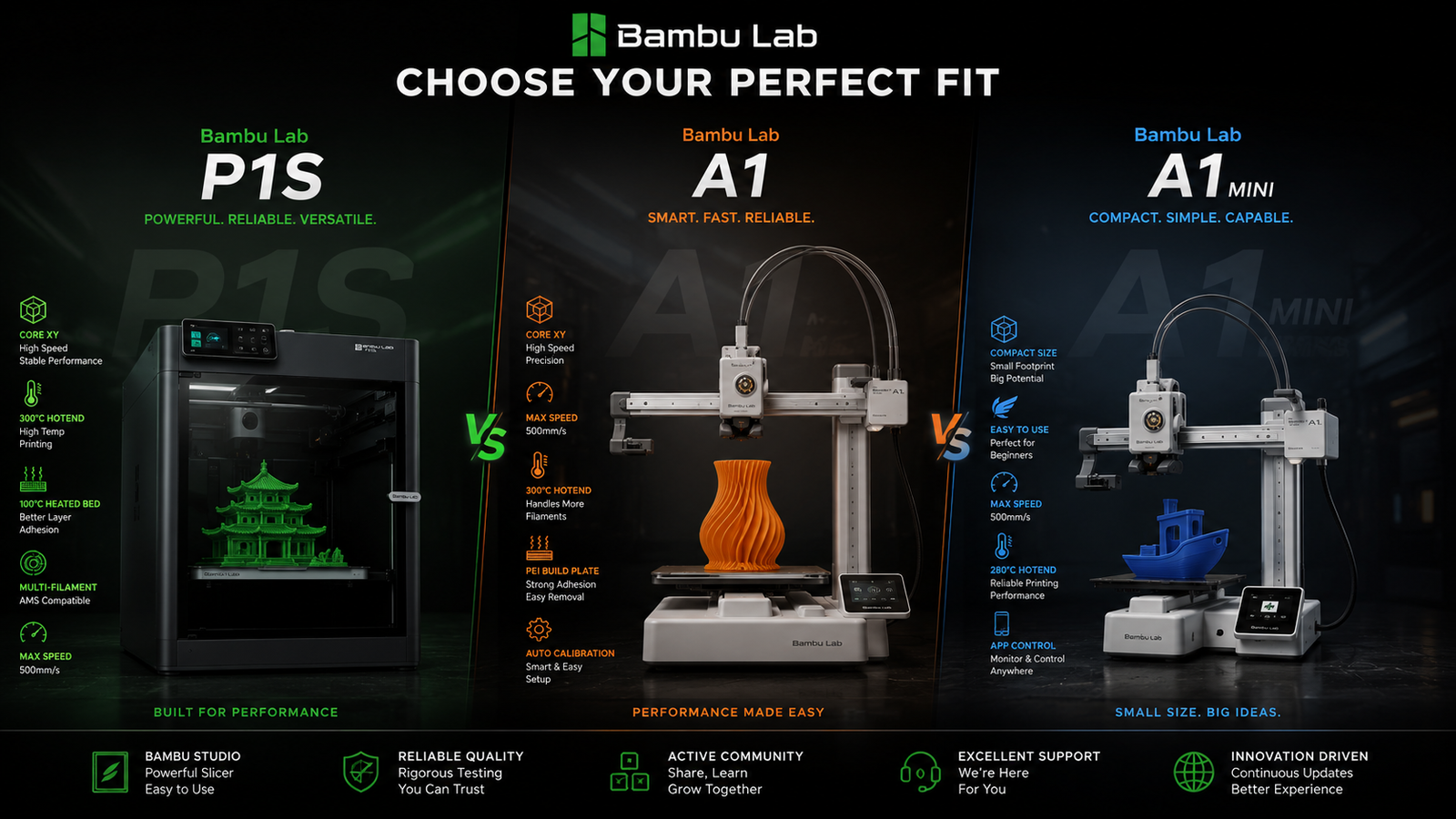
Bambu Lab P1S vs A1 vs A1 Mini: 2026 Buyer’s Guide
Stuck between Bambu Lab's best mid-range and entry-level options? We...
Read More
Tagged 3d printer
One Response